
Before purchasing covered computer, printer, or peripheral equipment:
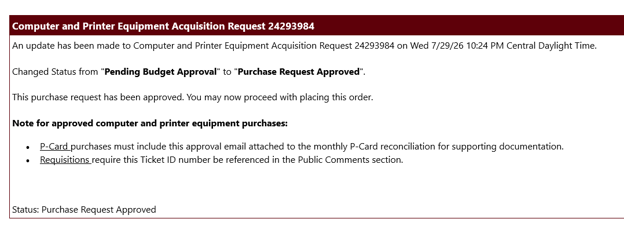
- Submit an IT Equipment Purchase Request through the Computer & Printer Equipment card in My.MissouriState.edu. The request needs to be submitted before making the purchase.
- Include the IT approval with either your P-Card documentation or requisition/payment request submission.
Items that require IT Equipment Purchase Request Form:
This requirement applies to all brands and vendors.
- Computer equipment: laptops, desktop towers, all-in-one computers, monitors, laptop docks, and tablets, including iPads and Android tablets
- Printers and scanners: desktop printers, multifunction printer/copiers, and document scanners
- Peripheral equipment: external hard drives, UPS units, and surge protectors
Items that do not require IT Equipment Purchase Request Form:
- Keyboards and mice
- Headsets
- Toner and printer supplies
- Power cords and cables
- USB flash drives
- Privacy screens
- Webcams and microphones
Discover more from Procurement Services Blog
Subscribe to get the latest posts sent to your email.
Leave a Reply