Missouri State University

Skip to content Skip to navigation
a b c d e f g h i j k l m n o p q r s t u v w x y z

Information Services Notifications and Outages

Be the first to know about system upgrades, outage notifications, and more from Information Services.

  • Information Services
  • Computer Services Help Desk

System Update: Banner Outage Starting Friday, May 26, 2023

May 9, 2023 by Aubrey Larimore Vargas

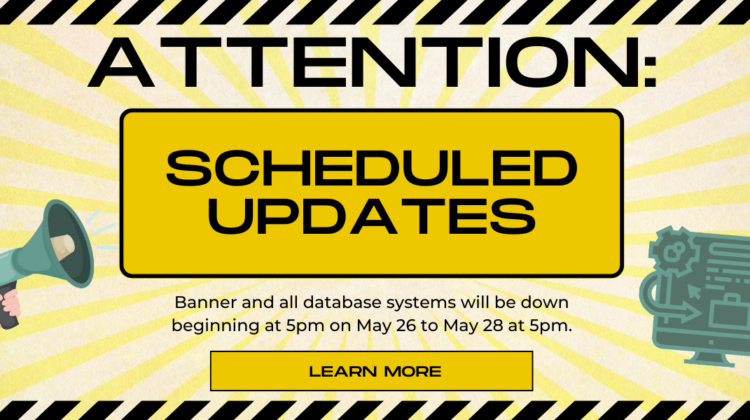
Attention: Scheduled Updates, Banner will be down May 26-28

Big changes are underway behind the scenes as Information Services works to modernize our databases and enterprise resource system. Over Memorial Day weekend, My Missouri State, Admin Banner, Workflow, BDM, SSB8, Self Service 9, DegreeWorks, our custom web applications, and all other systems reliant upon our database will be unavailable as we apply updates and perform system maintenance. The updates being applied impact infrastructure and not user experience, so our users will not encounter any functional differences to our systems once the updates are in place.

During this time, there will be no impact to other systems such as: University networks, phone systems, main websites, Blackboard, Office 365, email services, video surveillance systems, electronic door access, and the application for admission.

System Update Schedule:

  • Outage begins Friday, May 26, 2023 at 5:00pm.
  • Outage ends by Sunday, May 28, 2023 at 5:00pm.
  • On Monday May 29, 2023 additional verification and testing will continue, and access to Banner and related systems may be intermittent throughout the day.
  • Full system restoration is expected by the beginning of the work day on Tuesday, May 30, 2023. However, updates will be posted here if anything interferes with this schedule.

 

Filed Under: Springfield, West Plains Tagged With: Banner, BDM, DegreeWorks, downtime, ERP, maintenance, My Missouri State, Outage, Scheduled, Self-Service 9, SSB8, Upgrade, Workflow

New Mobile App for My Missouri State

March 28, 2023 by Aubrey Larimore Vargas

MSU Mobile App Icon
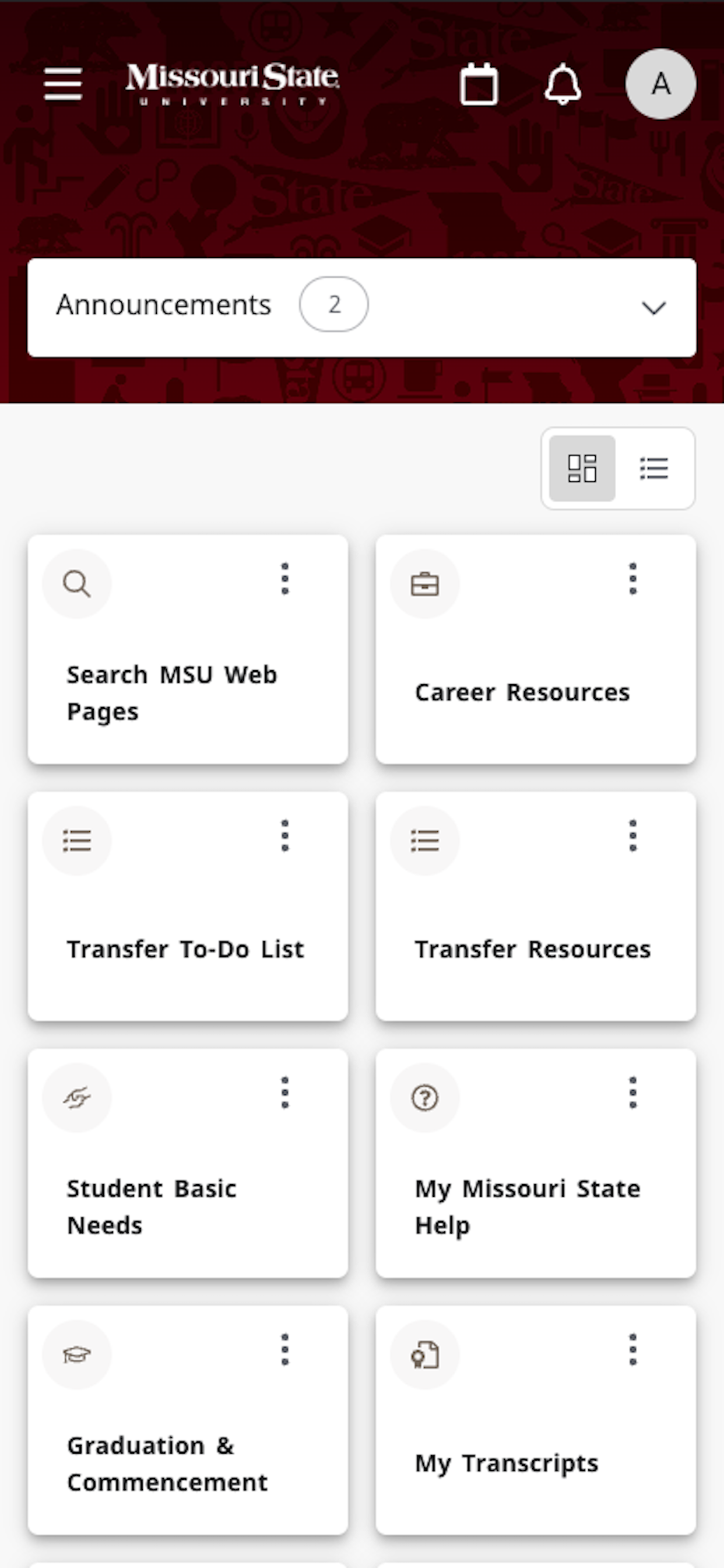
The Home page dashboard in MSU Mobile
MSU Mobile Home

Exciting news—a brand new My Missouri State mobile application will soon be available! Now that the new My Missouri State website is up and running, we have a much-improved mobile application to make your My Missouri State experience better than ever.

Starting tomorrow, March 29th, the Google Play Store and Apple App Store will be updated with the new version of the MSU Mobile app. If you already have the MSU Mobile app installed on your device, it should update automatically (depending on your settings) but if it doesn’t you can download it directly from your app store.

The new app matches the new My Missouri State website, making it easy to switch between the app and site. Your dashboard will match the website, so your customizations will stay in place, providing you with the resources you use most often as soon as you open the app. As you select a card, it conveniently slides up from the bottom of your screen to display all content available on that card. You can also manage your cards by adding and removing them from your home page with the bookmark icon just as you would on the website.

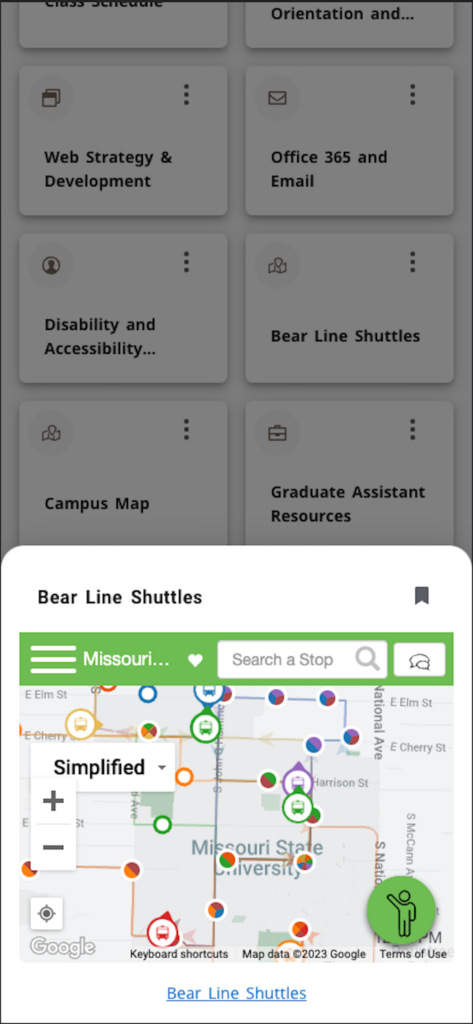
Bear Line Shuttle Tracker on MSU Mobile
Bear Line Shuttles card in app
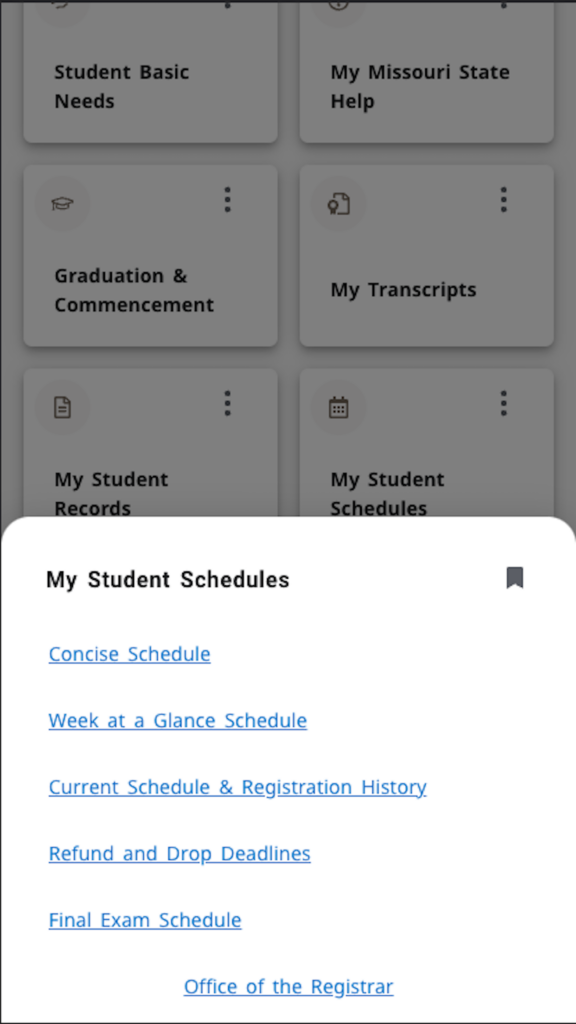
The Student Schedules card in MSU Mobile
My Student Schedules card in app

Tagged With: Android app, Apple app, Google app, Missouri State app, mobile app, MSU Mobile, My Missouri State, Upgrade

Banner Workflow Outage Starting Tue 14 March 2023

March 10, 2023 by Brian Edmond

Update: Banner Workflow updates have been completed. Access to Workflow applications has been restored.

Banner Workflow needs to be upgraded to a more secure version in order to be safely moved to the cloud environment. The upgrade will start next week on Tue 14 March 2023. We chose spring break with input from our functional team, thinking this would be the least disruptive time for the outage.

The system and all related applications will be down during this process, which is expected to take 2-3 days. These systems will be disabled to prevent accidental usage during the upgrade.

Related systems include:

  • ADP
  • Curricular Action Workflow (CAW)
  • Per Course BearPAF
  • Course Credit Fee Waiver
  • Drop With a Hold
  • DG / DX Hold Removal
  • GRADS Dashboard

After the system is upgraded, there will be some downtime while we ensure everything is operating properly.

Additional outages as well as an announcement that all is well and ready for regular business processing with these applications will be announced via this platform. If you subscribe to this blog, you will receive notifications about this process.

We sincerely apologize for the short notice and extended downtime for this system. We know all of our systems are important for the business of the university and we work hard to minimize downtime and maximize notice for outages such as these. In this case, we were just backed into a corner because of some security shortcomings and didn’t feel like we could wait any longer.

Questions or concerns should be directed to Brian Edmond (BrianEdmond@MissouriState.edu).

Filed Under: Springfield Tagged With: Banner, My Missouri State, Outage

The New My Missouri State Arrives March 15th

March 7, 2023 by Aubrey Larimore Vargas

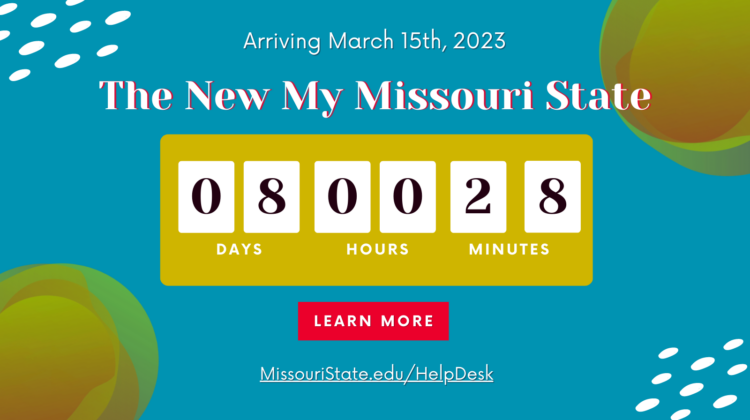
Countdown to March 15th and the new My Missouri State

A New Experience is Heading your Way

Last September, Information Services announced that a new My Missouri State portal was in the works, and in November we opened the new site for preview and feedback. We have received many great comments and suggestions, and the time has come for us to say farewell to our old My Missouri State portal. If you haven’t done so yet, we encourage you to use the preview link at the top of our current (and soon-to-be legacy) My Missouri State to explore the new site and become familiar with how it works, and you can also customize your dashboard to display the resources that matter to you the most before the new site is officially live.

Link to the new My Missouri State at the top of our current My Missouri State site.
Link to Preview the New My Missouri State

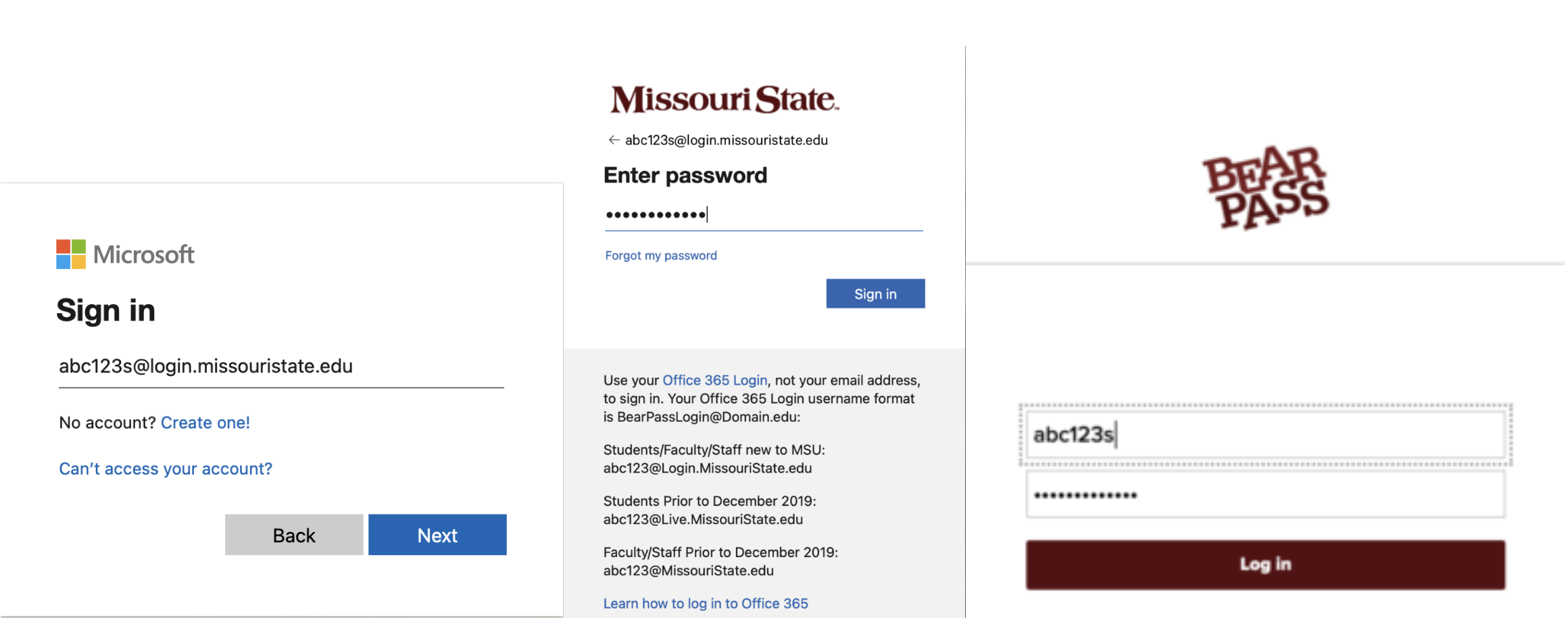
We’ve compiled a Fact Sheet with lots of helpful information about the new portal, and we also have instructions for customizing your dashboard and navigating the new My Missouri State. One of the most important things to know about the new site is that you will log in with your Office 365 Login instead of your BearPass Username and Password. This is a more secure and modern method of signing in, and it will allow the use of multi-factor authentication to protect your account and information. Some links within the new My Missouri State will still take you to pages that require you to log in with your BearPass Account, such as Blackboard and the My Parking application, and some will use your Office 365 Login to seamlessly navigate between sites.

Office 365 and BearPass Log In Pages
MSU Microsoft Office 365 Account Log In Pages and the BearPass Log In Page

Return from Spring Break to a New My Missouri State

During Spring Break on Wednesday, March 15th, https://my.missouristate.edu will take you to the brand new My Missouri State. We understand that it can be frustrating to learn a new platform in the middle of the semester, so once the new portal is live on March 15th we will post an announcement there that includes a link to access Legacy My Missouri State. This will allow you to switch back and forth between the old and new portals as you finish out the Spring semester. Then on May 29th when the Spring 2023 semester has concluded, Legacy My Missouri State will be permanently retired.

Computer Services is Here to Support You

We know these types of transitions can be challenging, so Computer Services is here to help you as you interact with the new My Missouri State.

  • Contact the Help Desk with any questions or issues you experience with the new site:
    • Submit a request via the IT Service Portal and a technician will contact you via email to help
    • Chat with us online and you can share your screen with us to troubleshoot issues you’re experiencing
    • Email your questions to HelpDesk@MissouriState.edu
    • Call the Help Desk at 417-836-5891 to speak with a technician
  • Provide us with feedback and suggestions to help improve the new site: Send us your feedback

The Highlights:

  • On Wednesday, March 15th, 2023 the URL https://my.missouristate.edu will direct you to the new My Missouri State.
  • You will use your Office 365 Account information to log in to the new My Missouri State, but some applications will still require your BearPass Account information to sign in.
  • You can learn more about the new site and how to use it by reading the Fact Sheet and instructions for navigating and customizing your dashboard.
  • Legacy My Missouri State, the old platform, will be available via a link in the new portal until May 29th, 2023.
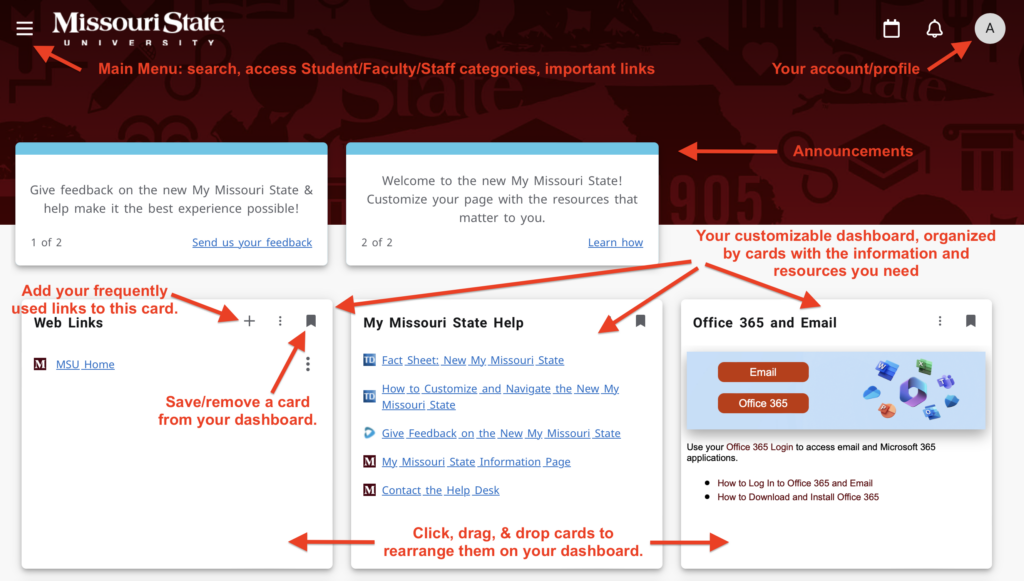
The home page of the new My Missouri State site
The New My Missouri State Home Page and Navigation Tips

Tagged With: account, Banner, mms, My Missouri State, registration, staff portal, Student Portal, student records, Upgrade

Preview the New My Missouri State

November 15, 2022 by Aubrey Larimore Vargas

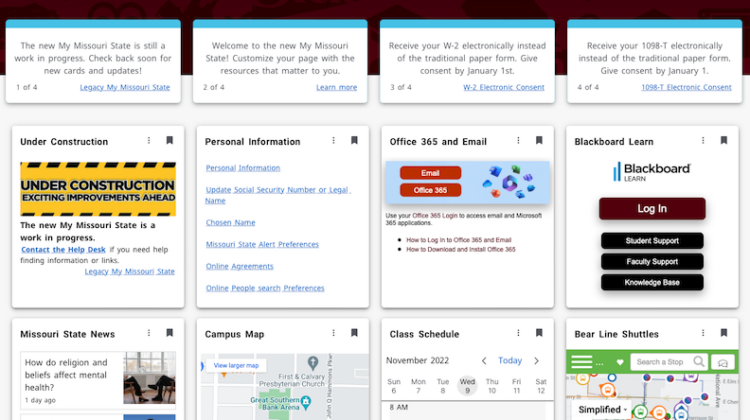
New My Missouri State Home page

Information Services is pleased to announce that the brand new My Missouri State is ready for preview!  

As the main hub for accessing university resources, the My Missouri State portal is long overdue for an upgrade. Information Services has been hard at work with the support of many of our functional areas to implement a new software that will totally transform My Missouri State into an easy-to-use, modern site that you can customize to fit your preferences. Read more about the New My Missouri State and learn how to customize your dashboard.

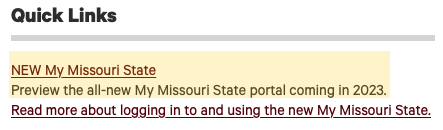
A link to the new My Missouri State has been added to the Quick Links menu in the current portal on the Home tab.

New My Missouri State preview link under Quick Links

Timeline for Releasing the New Site

November 1, 2022: Most resources are available, and you can begin testing it out and providing feedback. Links will allow you to toggle between old and new systems.
Spring Break, March 11-19, 2023:  https://my.MissouriState.edu will point to the new My Missouri State. The legacy system will still be available and links will allow you to toggle between the new and old systems.
End of Spring 2023 Semester: The legacy My Missouri State system will be turned off, and everyone will be using the new system.

Improved Security

With this new platform, it became possible to increase the security of My Missouri State, so you will be prompted to sign in and verify your identity with your Missouri State Office 365 Login and password instead of using your BearPass Login. If you aren’t sure what your Office 365 Login is, you can view it on your Account Information page.  

Please take the opportunity to explore and test the new site. We would love to hear any constructive feedback you might have: My Missouri State Feedback Form. 

We’re excited about the possibilities the new My Missouri State will provide – including a new and improved mobile app! – so we can’t wait to hear from you.

Office of Information Services

Cheek Hall 160 | ComputerServices@MissouriState.edu | 417-836-5770

Tagged With: Banner, Employee Portal, My Missouri State, Student Portal, Upgrade

« Previous Page
Next Page »

Categories

Archives

Meta

  • Log in
  • Entries feed
  • Comments feed
  • WordPress.org
  • Accessibility
  • Disclaimer
  • Disclosures
  • Equal Opportunity Employer and Institution
  • © 2026 Board of Governors, Missouri State University
  • Contact Information